

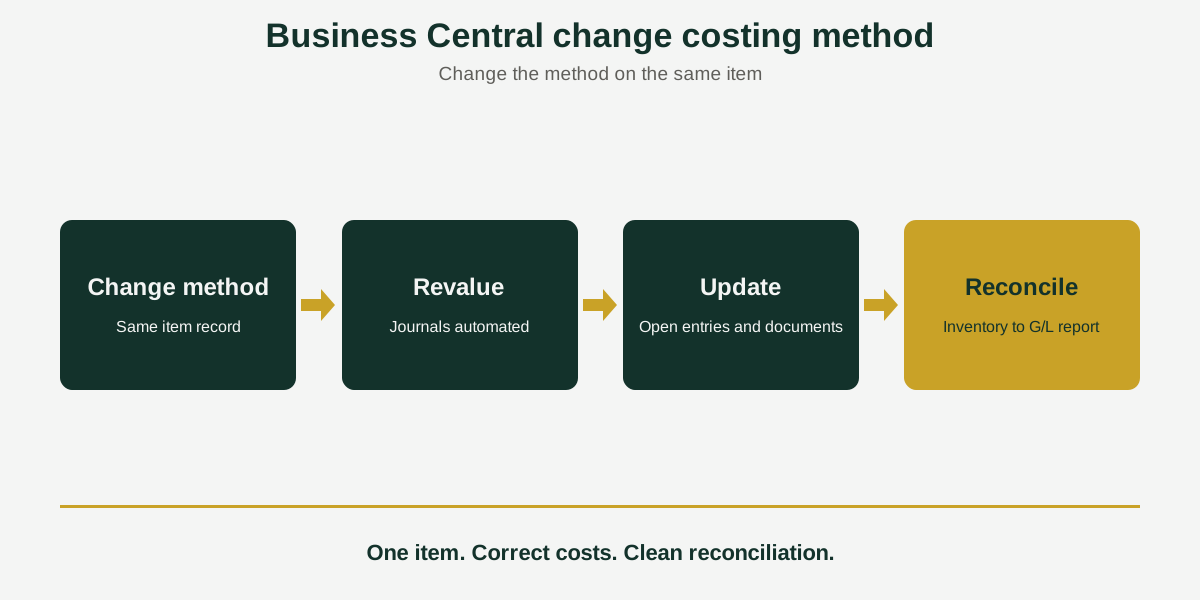
Short answer: you can change costing method in Business Central on the same item, without creating a new one. Acumens Costing & Inventory Management Toolbox runs the revaluation journals, updates open item ledger entries and open documents, and corrects wrong costs on production orders and transfers.
Inventory cost is only as good as the entries behind it. A raw material is posted at the wrong unit cost, a finished production order carries the wrong routing, or the inventory total stops matching the general ledger. Each fix means careful work with reversals and re-postings.
Acumens Costing & Inventory Management Toolbox, from SBC Dynamics ERP, collects those fixes in one app. It lets you change costing method on an existing item and covers cost corrections and reconciliation.
What the Toolbox does
1. Change costing method and unit cost on the item
You change the costing method and unit cost on the item itself, so you do not need a second item record and your reporting stays in one place. The Toolbox automates the revaluation journals, updates open item ledger entries and applies the new method across open documents.
2. Correct wrong unit costs by reversing and reposting
When a cost was posted incorrectly, the Toolbox reverses the erroneous value entries and reposts them with the correct unit cost. That keeps consumption, output and general ledger postings accurate. You can apply the correction at the production order level, at the transfer document level, or to a single item ledger entry.
3. Reverse revaluations
If a revaluation was posted in error, a revaluation reversal restores the ledger to its earlier state.
4. Reopen finished production orders
The Toolbox can reopen a finished production order so you can correct bill of materials and routing variances.
5. Fix posting dates, G/L accounts and batch costs
It also fixes wrong posting dates, misaligned G/L accounts and batch unit cost errors across multiple entries.
6. Enhanced inventory to G/L reconciliation report
The Enhanced Inventory to G/L Reconciliation Report replaces the standard Inventory to G/L Reconciliation report. It offsets purchase and sales returns against the matching uninvoiced inventory balances, so the reconciliation is more accurate.
Questions to ask before you choose
- How often do you need to change costing method or unit cost on an item?
- Where do cost errors usually start: purchasing, production or transfers?
- How long does it take to reconcile inventory to the general ledger each month?
- Do production orders need to be reopened to correct routings or bills of materials?
Who should use it
Finance, inventory and cost accounting teams that correct costs often, run production or transfers, or spend time each month reconciling inventory to the general ledger.
Availability
Acumens Costing & Inventory Management Toolbox is available from Microsoft AppSource and as an on-premises version. For a demo, setup help or training, contact the SBC Dynamics ERP team.
Frequently Asked Questions
Can I change costing method without creating a new item?
Yes, with Acumens Costing & Inventory Management Toolbox. You change the costing method and unit cost on the item. The Toolbox automates the revaluation journals, updates open item ledger entries and applies the new method across open documents.
How do I fix a wrong unit cost that was already posted?
The Toolbox reverses the erroneous value entries and reposts them with the correct unit cost, so consumption, output and G/L postings are accurate. You can apply it to a production order, a transfer document or a single item ledger entry.
Can I undo a revaluation?
Yes. The Toolbox includes revaluation reversals, which restore the ledger after a revaluation posted in error.
Can I correct a finished production order?
The Toolbox can reopen finished production orders so you can correct bill of materials and routing variances.
What else can the Toolbox fix?
It fixes wrong posting dates, misaligned G/L accounts and batch unit cost errors across multiple entries.
How does it help with inventory to G/L reconciliation?
It adds an Enhanced Inventory to G/L Reconciliation Report that replaces the standard report. It offsets purchase and sales returns against the matching uninvoiced inventory balances, so the reconciliation is more accurate.
Closing line: Want to change costing method without a new item, and see how your cost corrections would run? Contact the SBC Dynamics ERP team, or browse our other Acumens add-ons.