

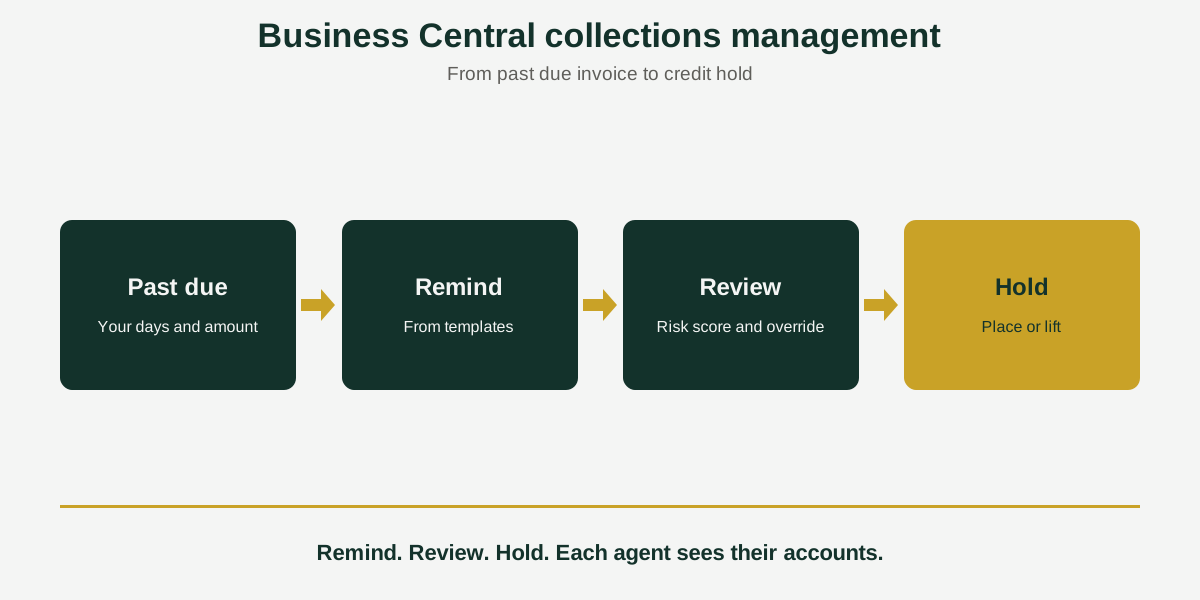
Short answer: Business Central collections management with Acumens Receivables & Collections Management means past due customers are found by your own rules, reminders go out from templates, credit risk is scored and reviewed, and customers can be put on or taken off hold. Role-based dashboards show each collection agent their accounts.
Collecting what customers owe is a routine of small decisions. Who is past due, and by how much? Who needs a reminder today? Who should be put on hold? Who is chasing which account?
Acumens Receivables & Collections Management, from SBC Dynamics ERP, brings those decisions into Business Central. It finds the customers who meet your rules, sends reminders, supports credit review and shows each person their accounts.
What the app does
1. Find customers by your own past due rules
You set the overdue days and a threshold amount for each customer. The app identifies the customers who meet those criteria.
2. Reminders from templates
Three reminder types are available: Quick AR, Past Due and Scheduled. You can customize the templates, so reminders go out on time and payment follow-up stays consistent. Statements are part of the scheduled routine.
3. Credit risk scoring and review
The app supports credit risk scoring, credit review, and overrides, so a person can decide when the score should not be the last word.
4. Credit holds
From the same list, you can update a customer’s blocking status to place the customer on hold or take the customer off hold.
5. Dashboards and collection agents
Role-based dashboards show aging, past-due, and credit-hold cues. Collection agent mapping lets each agent focus on their assigned accounts, which makes responsibility clear.
Questions to ask before you choose
- How many days overdue, and what amount, should start a reminder?
- Who decides when a customer goes on hold, and who can lift it?
- Do your collection agents each own a set of customers?
- What do you send today: reminders, statements, or both?
Who should use it
Finance and credit teams that follow up on overdue invoices every week and want reminders, holds and agent responsibility in one place.
Availability
Acumens Receivables & Collections Management is available from Microsoft AppSource for Business Central. For a demo, setup help or training, contact the SBC Dynamics ERP team.
Frequently Asked Questions
How can I put customers with overdue invoices on credit hold?
Acumens Receivables & Collections Management identifies the customers who meet your criteria, which you set as overdue days and a threshold amount per customer. You can then update the customer’s blocking status to place the customer on hold or remove the hold.
Can I send reminders for overdue invoices automatically?
The app offers Quick AR, Past Due, and Scheduled reminders with customizable templates. They support timely payment follow-up and help reduce missed collections.
How can I see which collection agent owns which account?
Collection agent mapping and role-based dashboards let each agent focus on their assigned accounts. The dashboards show aging, past due and credit hold cues.
Does the app score credit risk?
Yes. It supports credit risk scoring, credit review, and overrides.
Where can I get it?
Acumens Receivables & Collections Management is available from Microsoft AppSource for Business Central. Contact the SBC Dynamics ERP team for a demo, setup help or training.
Closing line: Want to see how your reminder rules would be set up? Contact the SBC Dynamics ERP team or browse our other Acumen add-ons.