

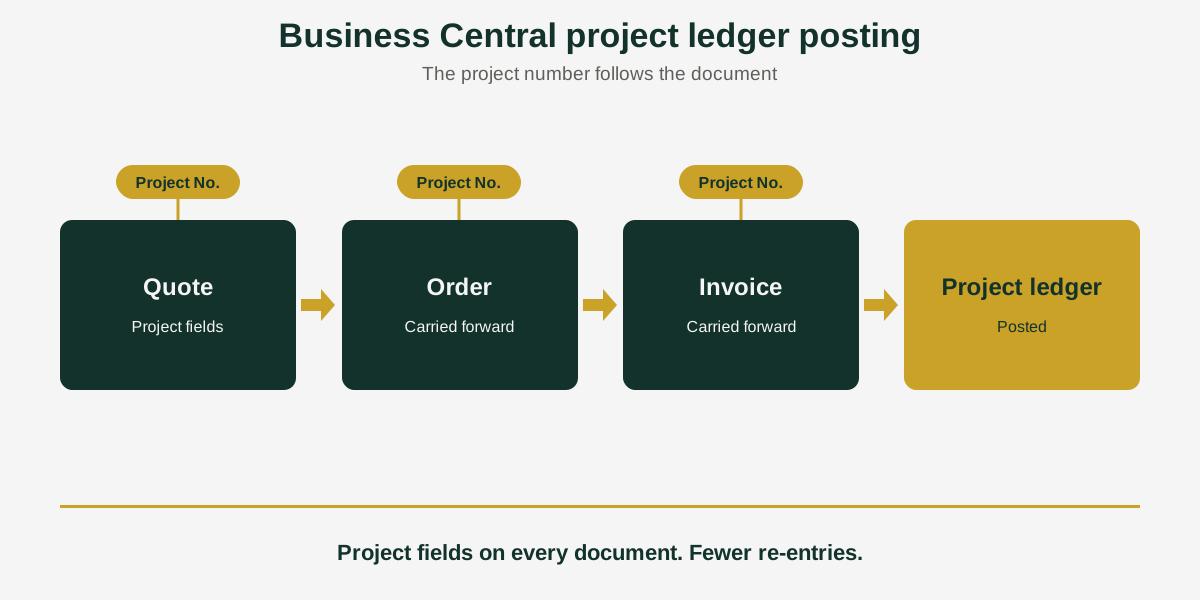
Business Central Project Ledger Posting: Follow the Project Number
Short answer: Business Central project ledger posting records project costs and revenue when you post documents. Acumens Advanced Projects extends it: project fields show on sales, workshop, and rental documents, resource costs can post to the G/L without WIP, and fixed asset sales can post to the project ledger.
A project number is easy to type once. The trouble starts when the quote becomes an order, the order is copied, and someone has to key the project fields in again at every step. Miss one and the cost or revenue lands nowhere near the project it belongs to.
Acumens Advanced Projects, from SBC Dynamics ERP, changes how project information flows through Business Central sales, EQM Workshop and EQM Rental processes, so the project follows the document all the way to the project ledger.
6 upgrades, in the order a document travels
1. Project fields on the documents you already use
Project No. and Project Task No. become editable and visible on standard sales documents and on EQM Workshop and EQM Rental documents.
2. Project details that carry forward
Project details move from a sales quote to the new order or invoice through Make Order and Make Invoice, and Copy Document copies them too. Nothing has to be re-entered along the way.
3. Posting to the project ledger from more documents
In standard Business Central, project details post from sales invoices and credit memos. With the app, you can also post to the Project Ledger from sales orders, workshop orders and fixed asset sales lines.
4. Resource and service item costs in the general ledger, without WIP
In standard Business Central, the project journal does not post resource costs to the general ledger unless WIP is selected. The app lets resource costs and service item costs post to the G/L even without WIP, so managers see project costs in the financial reports.
5. Rental contracts that keep the project
Project fields appear by default on rental contracts, and they carry through to rental sales invoices and credit memos.
6. Edits that don’t disturb existing lines
Existing sales lines stay unchanged when you change the Responsibility Center or dimensions on the document, so an edit to the header does not undo work already done on the lines.
Where this helps most
- Teams that quote first and convert to an order or invoice later.
- Workshop and rental businesses using EQM Workshop or EQM Rental documents.
- Finance teams that need resource costs in the G/L without choosing WIP.
- Companies that sell fixed assets and need that sale to appear against a project.
Availability
Acumens Advanced Projects is available from Microsoft AppSource and for on-premises deployments. For a demo, setup help or training, contact the SBC Dynamics ERP team.
Frequently Asked Questions
How do I post project resource costs to the general ledger without WIP?
In standard Business Central, the project journal does not post resource costs to the general ledger unless WIP is selected. Acumens Advanced Projects lets resource costs and service item costs post to the G/L even without WIP.
Can I post project details from a sales order, not just an invoice?
Yes. In standard Business Central, project details post from sales invoices and credit memos. With the app you can also post to the Project Ledger from sales orders, workshop orders and fixed asset sales lines.
Does the project number carry over when I turn a quote into an order?
Yes. Project details carry from a sales quote to the new order or invoice through the Make Order and Make Invoice actions.
Does Copy Document keep the project details?
Yes. The app copies project details when you use Copy Document.
Can I record a fixed asset sale against a project?
Yes. Fixed asset sales lines can post to the Project Ledger.
Does it work with rental and workshop documents?
Yes. Project No. and Project Task No. are editable and visible on EQM Workshop and EQM Rental documents, and project fields show by default on rental contracts and carry to rental sales invoices and credit memos.
What happens to existing lines if I change the dimensions or responsibility center?
Existing sales lines stay unchanged.
Is it available for on-premises Business Central?
Yes. It is available from Microsoft AppSource and for on-premises deployments.
Closing line: Want to see how the project number would travel through your own quotes and orders? Contact the SBC Dynamics ERP team, learn how Acumens handles the Business Central sales quote, or browse our other Acumens add-ons
.