

Business Central Vendor Deposits: From Purchase Order Deposit to Partial Drawdown
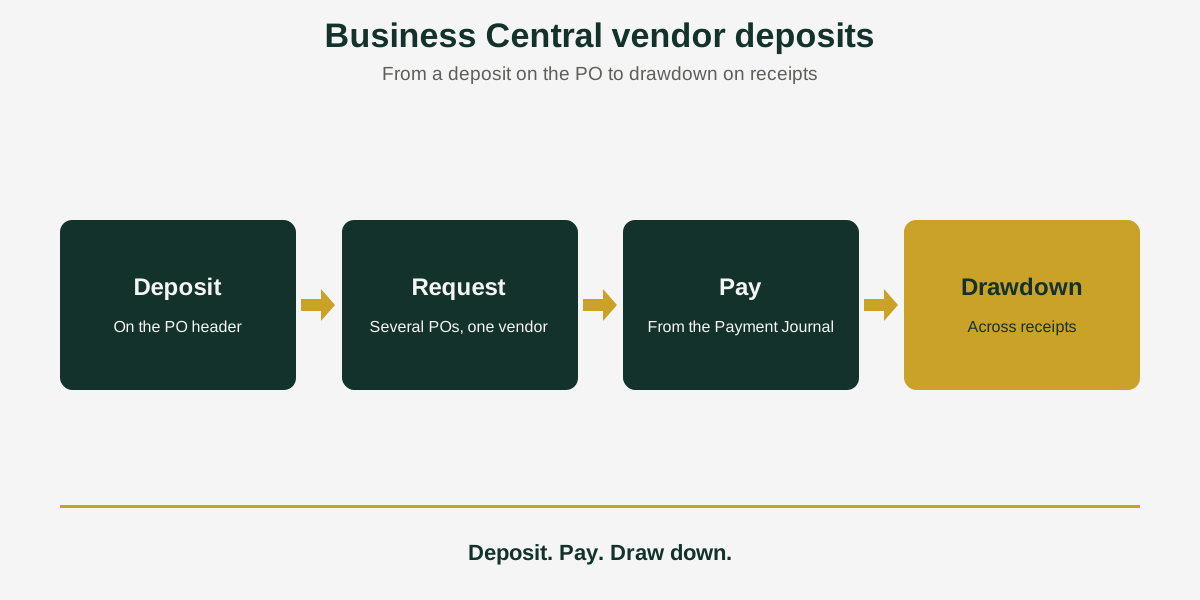
Short answer: Business Central vendor deposits with Acumens Vendor Deposits & Prepayments Management are set up at the purchase order header, as a percentage or a fixed amount. Deposit requests can cover several orders for one vendor, and the unused balance is drawn down across later receipts and invoices.
Some suppliers want money before they ship. The deposit may be a share of the order or a fixed sum; it may cover several orders, and it has to be paid, tracked, and used up as goods arrive.
Acumens Vendor Deposits & Prepayments Management, from SBC Dynamics ERP, handles that path in Business Central, from the purchase order to the last drawdown.
What the app does
1. Deposits on the purchase order header
You set up the deposit directly on the purchase order header. It can be a percentage of the order or a fixed amount.
2. One request for several purchase orders
A master document groups several purchase orders for one vendor. The deposit invoices are processed together, so the vendor receives one request instead of several.
3. Targeted deposit credit memos
You can credit one specific historical deposit invoice without canceling or reversing every prepayment invoice on the order.
4. Paying the deposit from the Payment Journal
Posted deposit invoices link to the Payment Journal for outbound ACH, check, or EFT payments. The deposit is then tracked as a prepayment asset.
5. Partial drawdown across orders
The app tracks the unapplied deposit balance and applies it across one or more purchase order receipts and invoices until the balance is used up.
Reporting
The Aged Accounts Payable (Deposits) and Vendor Deposit Summary reports show unused deposit assets, applied offsets, and net accounts payable liabilities.
Questions to ask before you choose
- Which suppliers ask for deposits, and in what form: a percentage or a fixed amount?
- Do you place several orders with the same vendor against one deposit?
- How do you pay deposits today: ACH, check, or EFT?
- Do you need to credit one deposit invoice without touching the rest?
Who should use it
Purchasing and accounts payable teams that pay suppliers in advance and need to see what is still unused.
Availability
Acumens Vendor Deposits & Prepayments Management is available from Microsoft AppSource and as an on-premises version. For a demo, setup help or training, contact the SBC Dynamics ERP team. If you also take deposits from customers, see our post on customer deposits.
Frequently Asked Questions
How do I set up a deposit on a purchase order?
With Acumens Vendor Deposits & Prepayments Management you set up the deposit directly on the purchase order header, as a percentage or a fixed amount.
Can one deposit request cover several purchase orders?
Yes. A master document groups several purchase orders for one vendor and processes their deposit invoices together.
How do I credit one deposit invoice?
Use a targeted deposit credit memo. It credits one specific historical deposit invoice without cancelling or reversing every prepayment invoice on the order.
How do I pay a vendor deposit?
Posted deposit invoices link to the Payment Journal for outbound ACH, check or EFT payments. The deposit is tracked as a prepayment asset.
What happens to the deposit balance as goods arrive?
The app tracks the unapplied balance and applies it across one or more purchase order receipts and invoices until it is used up.
Which reports show my vendor deposits?
Aged Accounts Payable (Deposits) and Vendor Deposit Summary show unused deposit assets, applied offsets, and net accounts payable liabilities.
Is it available for on-premises Business Central?
Yes. It is available from the Microsoft Marketplace and as an on-premises version.
Closing line
Want to see how a supplier deposit would run from order to drawdown? Contact the SBC Dynamics ERP team, or browse our other Acumens add-ons.