

Business Central Special Order: Keep Incoming Stock for the Customer Who Ordered It
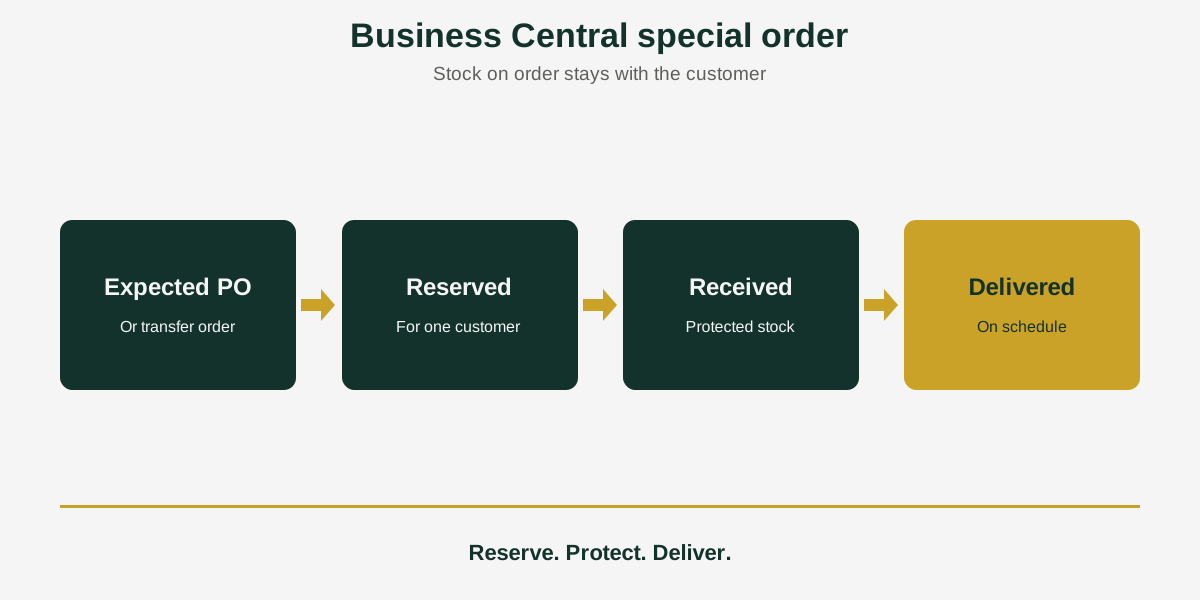
Short answer: Business Central special order management means keeping incoming stock for the customer who ordered it. Acumens Sales & Special-Order Management lets you reserve purchase order and transfer order quantities for specific customers, protects reserved stock from other orders, and tracks reserved, received and delivered quantities on a delivery schedule.
A customer wants an item you do not stock: a custom build, a special edition or a one-off. You order it from the supplier. Then a second customer orders the same item, and the stock is gone the day it arrives. The first customer waits, and you have a service problem you could have prevented.
Acumens Sales & Special-Order Management, from SBC Dynamics ERP, extends the standard Business Central sales order process so that stock you have ordered for a customer stays theirs.
How it works: reserve, protect, deliver
Reserve against expected inventory
Reserve quantities on purchase orders and transfer orders for a specific customer’s order. The incoming stock is committed to that customer before it even arrives.
Protect it once it lands
Reserved quantities cannot be sold or used to fill other customer orders. Inventory availability calculations take the reservations into account, so everyone sees the same picture of what is really free to sell.
Schedule the delivery and track it
A Special-Order Delivery Schedule tracks reserved, received, delivered and outstanding quantities. It supports phased delivery, for example when a customer has prepaid for a large quantity that you will deliver over time.
A worked example
Imagine Customer A orders 10 custom units. You raise a purchase order for 10 and reserve all 10 against Customer A’s sales order. A week later, Customer B asks for 4 of the same item. Because the incoming quantity is reserved, it cannot be used to fill Customer B’s order. Your team sees the true availability, quotes Customer B an honest date, and Customer A’s order is delivered as planned.
What kind of orders is it for?
- Non-stock items bought for one customer.
- Customizations and special editions.
- Special-pricing requests.
- Large prepaid orders delivered in phases.
What your team gains
- Sales can promise a date knowing the stock is protected.
- Purchasing can see which incoming quantities already belong to a customer.
- Customer service can answer “where is my order?” from the delivery schedule, with reserved, received and delivered quantities in one place.
Availability
Acumens Sales & Special-Order Management is available from Microsoft AppSource and for on-premises installations. For a demo, setup help or training, contact the SBC Dynamics ERP team.
Frequently Asked Questions
Can Business Central reserve stock for a customer before it arrives?
With Acumens Sales & Special-Order Management, yes. You can reserve quantities on purchase orders and transfer orders for a specific customer’s order, so incoming stock is committed to the right customer.
How do I stop reserved stock being sold to another customer?
The app protects reserved quantities. They cannot be sold or used to fill other customer orders.
Does it work with transfer orders as well as purchase orders?
Yes. You can reserve expected inventory on both purchase orders and transfer orders.
How do I deliver a large order in phases?
The Special-Order Delivery Schedule supports phased delivery of a large prepaid quantity and tracks what has been reserved, received, delivered and is still outstanding.
Does reserved stock show up in inventory availability?
Yes. Inventory availability calculations include quantities reserved for special orders.
What kinds of special orders does it handle?
Non-stock items, customizations, special editions, and special-pricing requests.
Is it available for on-premises Business Central?
Yes. It is available from Microsoft AppSource and for on-premises installations.
Closing line: Want to see how special orders would run through your own sales process? Contact the SBC Dynamics ERP team, see how Acumens Customer Deposits & Prepayments handles prepaid orders, or browse our other Acumens add-ons.