

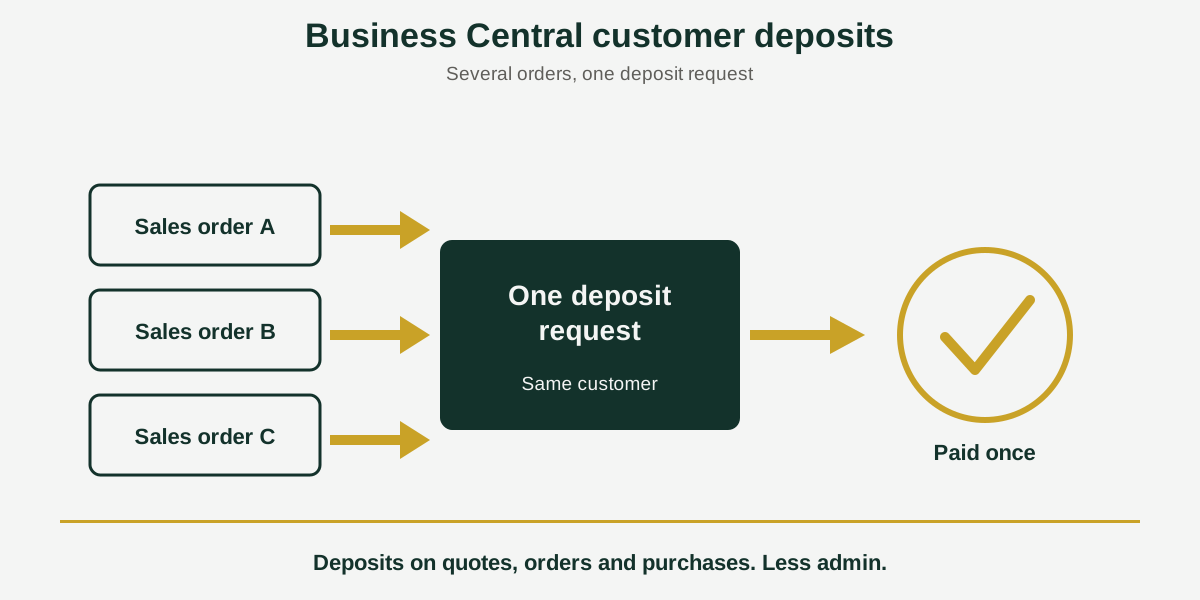
Short answer: Business Central customer deposits are payments you collect before delivering an order. Acumens Customer Deposits & Prepayments Management lets you take deposits on sales quotes, sales orders and purchase orders, combine several orders into one deposit request, and report on deposits in Accounts Receivable, for Microsoft Dynamics 365 Business Central and Dynamics NAV.
If you sell custom work, take reservations or order special items, you rarely ship before you are paid something. The deposit is how you protect cash flow and confirm the customer is serious. Standard Business Central does not make that easy: it does not support deposits on sales quotes, a deposit needs a sales order or prepayment structure first, and each deposit is handled one document at a time.
Acumens Customer Deposits & Prepayments Management, from SBC Dynamics ERP, removes those limits.
What is Acumens Customer Deposits & Prepayments Management?
It is a Business Central extension for managing customer deposits and prepayments. It is built for businesses that collect money upfront for custom work, reservations or special-order items, and want better control of Accounts Receivable and cash flow.
6 key features
1. Deposits on sales quotes
Set a deposit on the sales quote, so you can accept money from a customer without affecting inventory.
2. Deposits on sales orders
Set the deposit once on the order header instead of line by line. It can be a percentage of the order or a fixed amount.
3. Deposits on purchase orders
The same header-level setup is available on purchase orders, for the times when a vendor asks you to pay upfront.
4. Consolidated deposit requests
A Sales Deposit Request combines several sales orders for the same customer into a single deposit. It can also be created with no sales order or quote at all, by entering items, fixed assets or resources directly on its lines. On the purchase side, a Purchase Deposit Request uses a master list to process deposits for several purchase orders to the same vendor together.
5. Multiple payment methods
Customers can pay through e-commerce and point-of-sale channels, including ACH, with card-present and card-not-present transactions.
6. Advanced Accounts Receivable reporting
A Customer Deposit Summary and an Aged Accounts Receivable view show deposits received and how they affect your receivables.
Why it matters
- Greater flexibility and control over how deposits are collected.
- Better cash flow management, since money comes in before work starts.
- Less admin, because one request can cover several orders.
- Clearer Accounts Receivable insight for decisions.
Who should use it?
Businesses that ask for money upfront: custom and made-to-order work, reservations, and special-order items. It also suits teams that handle several orders for the same customer and want to send one deposit request instead of many.
Availability
Acumens Customer Deposits & Prepayments Management is available from Microsoft AppSource for cloud and as an on-premises version. For a demo, setup help or training, contact the SBC Dynamics ERP team.
Frequently Asked Questions
Can I take a deposit on a sales quote in Business Central?
Not in standard Business Central, where prepayments belong to the sales order. Acumens Customer Deposits & Prepayments Management lets you set a deposit at the quote level, so you can accept money from a customer without affecting inventory.
How do I take a deposit on a sales order?
With the app, you set the deposit once on the order header instead of line by line. The deposit can be a percentage of the order or a fixed amount.
Can I collect one deposit for several sales orders?
Yes. A Sales Deposit Request consolidates multiple sales orders for the same customer into a single deposit, so the customer pays once instead of once per order.
Can I request a deposit when there is no sales order or quote yet?
Yes. You can create a Sales Deposit Request on its own and enter items, fixed assets or resources directly on its lines.
Does the app handle deposits on purchase orders too?
Yes. You can set deposits on the purchase order header, and a Purchase Deposit Request uses a master list to consolidate multiple purchase orders for the same vendor and process their deposits together.
What payment methods can customers use to pay a deposit?
The app supports e-commerce and point-of-sale payments, including ACH, and both card-present and card-not-present transactions.
How do I see how much customers have paid in deposits?
The app includes a Customer Deposit Summary and an Aged Accounts Receivable view, so you can see deposits received and how they affect your receivables.
Is it available for on-premises Business Central?
Yes. It is available from Microsoft AppSource for cloud and as an on-premises version.
Closing line: Want to see how deposits would work for your quotes and orders? Contact the SBC Dynamics ERP team, or browse our other Acumens add-ons.