

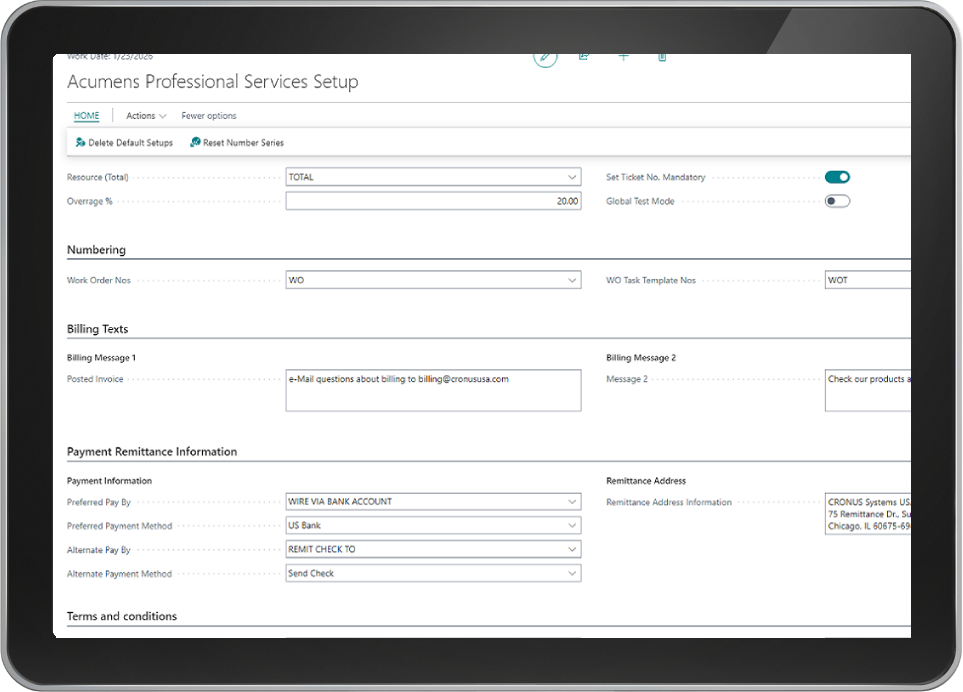
Elevate Projects & Profits with Acumens Professional Services Management
Acumens Professional Services Management is an integrated solution designed to help project managers manage projects, resources, billing, and budgets effectively. Implementing enterprise-grade professional services management software within Microsoft Dynamics 365 Business Central ensures Work Orders play a crucial role in planning and executing tasks associated with various projects. Here’s a detailed overview of how Work Orders interact with project management and their key features.
Modern service enterprises depend on unified tracking systems to protect project margins and streamline task execution. Aligning resource allocation with real-time financial ledgers gives executive leaders complete operational oversight across complex client deliverables, ensuring that project milestones complete on time and within budget.
Table of Contents
Relationship Between Work Orders and Projects
Integrating full-featured professional services management software tools inside Business Central creates a structured bridge between daily operations and accounting modules. The relationship relies on five core pillars:
- 1. Project Planning: Work Orders are tied to specific projects, allowing organizations to plan and allocate resources effectively. Each Work Order corresponds to particular tasks within the project, facilitating better tracking and task execution.
- 2. Resource Management: Work Orders help allocate personnel necessary for project completion, ensuring all active resources are optimally utilized across active client jobs.
- 3. Time and Expense Tracking: Work Orders allow teams to log time and expenses associated with specific tasks, enabling precise billing and budget management.
- 4. Budget Control: Linked directly to project budgets, Work Orders allow project managers to monitor expenditures against budgeted amounts throughout the project lifecycle.
- 5. Reporting and Analytics: Work Orders provide valuable data to gauge project performance, resource utilization, and financial metrics for informed decision-making.
Key Features of Professional Services Management with Work Orders
Utilizing flexible professional services management software utilities empowers delivery teams to execute complex client contracts seamlessly. Key features include:
- 1. Task Management: Create and manage tasks within a Work Order to ensure clear assignment and tracking of responsibilities.
- 2. Resource Allocation: Assign resources based on availability and skill sets, ensuring the right people work on the right tasks.
- 3. Time and Expense Tracking: Employees log time and expenses directly against Work Orders, streamlining billing and providing accurate project costing.
- 4. Budget Management: Set project budgets and monitor costs. Alerts can be configured for budget overruns to enable proactive control.
- 5. Invoicing and Billing: Generate invoices based on Work Orders and associated tasks to align billing with actual work performed.
- 6. Integration with Financials: Work Orders seamlessly integrate with the financial module in Business Central for real-time updates on project profitability.
- 7. Reporting and Dashboards: Utilize built-in reporting tools to gain insights into project performance, resource utilization, and financial health.
- 8. Templates for Reusability: Create reusable templates for common project types (New Project and Change Work Order) for faster setup.
- 9. Document Management: Attach relevant documents, contracts, and specifications directly to Work Orders for easy access.
- 10. Ticket Management: Tickets track time spent on specific tasks for accurate client billing, linking costs directly to revenue generated.
Optimizing Service Execution and Profitability
Deploying cloud-based professional services management software ensures that every billable ticket links directly to parent financial ledgers. This systemic transparency protects project margins and improves overall client retention.
Eliminating manual tracking errors ensures that every billable hour is recorded accurately against client accounts. When project workflows run natively inside Business Central, financial controllers maintain full operational visibility throughout the entire billing cycle.
Conclusion
Using Work Orders within Acumens Professional Services Management in Business Central enhances project execution by providing structure, accountability, and transparency. Deploying full-featured professional services management software empowers organizations to manage professional services projects effectively.
For more details, check our guide on Acumens History Management or read official documentation on Microsoft Dynamics 365 Architecture Models.