

Acumens e-POS Payments for Microsoft Dynamics NAV/BC
POS Meaning
Do you know what POS means? No, it’s not a new acronym for an unpleasant experience. It stands for point of sale, and it’s a critical part of your business. In this blog post, we’ll discuss the role of the POS system in your company and how to make sure you’re getting the most out of it. Stay tuned!
What is a point-of-sale system?
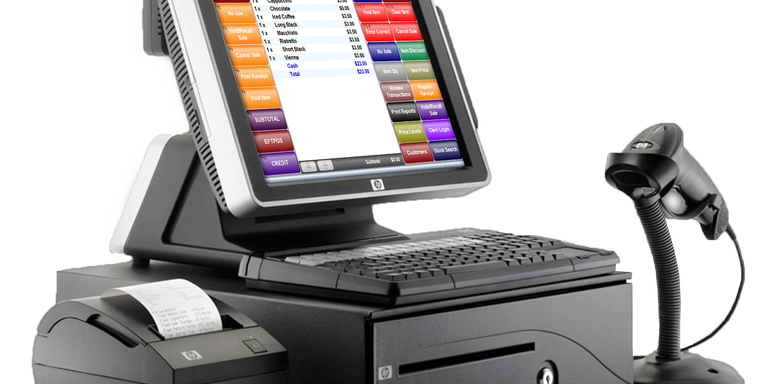
A point-of-sale system (POS) is a piece of software that helps business owners manage their sales transactions. A POS can interface with credit card processing terminals, cash registers, and other point-of-sale devices. It usually includes features like inventory management, customer relationship management, and accounting. If you’re looking for a way to streamline your sales process, a POS system might be the answer.
Best Point of sale for retail
In the fast-paced world of convenience stores, it’s crucial to have a point of sale (POS) system that is both efficient and easy to use. A quick and accurate checkout process is essential for keeping customers happy and coming back. That’s why so many store owners are turning to modern POS systems to help streamline their operations. With the latest technology at their fingertips, they can rest assured that their customers will enjoy a speedy and smooth checkout experience. So if you’re in the market for a new POS system, be sure to check out all the options available to you. You’re sure to find one that fits your needs perfectly!
What is the Point of Sale for Microsoft Dynamics NAV/BC and what are its key features?
Microsoft Dynamics NAV/BC is a software package designed for businesses that want to streamline their operations and improve their bottom line. One of the key features we have added to Microsoft Dynamics NAV/BC is its point-of-sale application. This module provides businesses with a complete point-of-sale solution, including inventory management, sales reporting, and customer relationship management. In addition, the point-of-sale module is fully integrated with the rest of Microsoft Dynamics NAV/BC, making it easy to use and adapt to your specific business needs. With its powerful features and easy-to-use interface, Microsoft Dynamics NAV/BC’s point of sale module is an essential tool for any business that wants to improve its efficiency and bottom line.
Microsoft Dynamics POS add-on and extension
The Microsoft Dynamics suite of software can help businesses run their operations more efficiently and effectively. Microsoft Dynamics Nav and Microsoft Dynamic BC are two powerful tools in this suite that can help businesses achieve their goals. Thanks to Microsoft Dynamics, achieving efficiencies in business operations has never been easier.
If you’re looking for a point-of-sale system that works with Microsoft Dynamics NAV or BC, you’ve come to the right place. Our add-on for Nav Microsoft Dynamics is the perfect solution for businesses that want to streamline their sales process and make life easier for their employees.
With our point-of-sale system, you’ll be able to manage your inventory, accept payments, and track sales all in one place. Plus, our integrated POS software will make it easy for you to connect with your other business software, so you can keep your operations running smoothly. Contact us today to learn more about how we can help you take your business to the next level.
Acumens e-POS Payments is SBC Dynamics ERP’s Point of Sale add-on for Microsoft Dynamics — a complete POS solution built directly into your ERP. It streamlines operations and improves efficiency. The add-on includes modules for sales, inventory, accounting, warehousing, and more. The extension is easy to use and comes with 24/7 support. Businesses that use the add-on have seen significant improvements in their operations. If you are looking for a complete Point of Sale solution for your business, Microsoft Dynamics is the right choice. Thanks for considering our product!
FAQs
Q: Does Business Central have a built-in point-of-sale system?
A: Not natively at the counter-transaction level — Business Central is built for back-office ERP functions. Acumens e-POS Payments adds point-of-sale transaction processing directly inside Business Central, so counter sales post the same way a standard sales order does, without a separate POS system syncing in afterward.
Q: Does inventory update in real time when a POS sale happens, or is there a sync delay?
A: Because e-POS Payments runs inside Business Central rather than as an external system feeding into it, inventory updates at the point of transaction posting — there’s no batch sync window where stock counts can drift out of sync with what’s actually been sold.
Q: Can a Business Central POS system work offline if the internet goes down?
A: This depends on the specific POS setup and connection requirements — worth confirming directly for your environment, since offline capability is one of the most common points of failure businesses run into with disconnected POS-to-ERP integrations generally.
Q: Is customer payment data secure when processed through Business Central’s POS extension?
A: Yes — when paired with Acumens e-Payments, card data is never stored in Business Central itself. It’s held in Authorize.Net’s PCI DSS-compliant environment, with Business Central only holding a reference to the stored payment profile.