

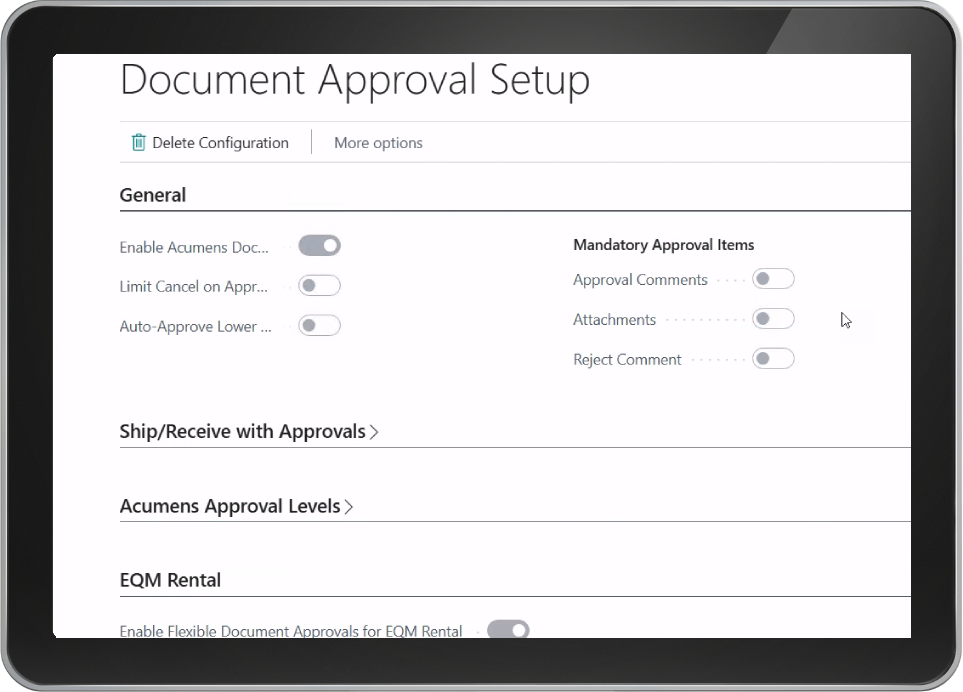
Acumens Flexible Document Approvals for EQM Rental is an enhancement to Acumens Document Approvals Management for Microsoft Dynamics Business Central Module to include EQM Rental Documents.
- Rental Quotes and Rental Contracts.
- Rental Documents
- Rental Invoices
- Rental Credit Memos
- Workshop Quotes
- Workshop Orders
- Workshop Credit Memos
- Workshop Purchase Orders.
-
Workflows for Rental Quotes and Rental Contracts
This app introduces workflows for EQM Rental Quotes and Rental Contracts and tailors’ standard business central sales and purchases to include Rental Sales and Purchases approvals.
-
Dynamic Approval Levels
This feature enhances the standard Business Central Workflow User Group sequence by allowing up to four user-defined approval levels. It provides a more intuitive and user-friendly approach to managing approval hierarchies.
-
Alternate Approvers
Users can assign multiple approvers per approval level. These approvers can be configured as either mandatory or optional, offering greater flexibility to meet diverse business needs.
-
Mandatory Approval Comments and Attachments
To ensure thorough documentation, the system requires users to include comments and attachments before submitting documents for approval. This feature promotes accountability and clarity in the approval process.
-
User-Defined Notifications
Users can customize their preferred notification methods, such as in-app notes, emails, or both, ensuring they stay informed about approval requests in a way that suits their workflow.