

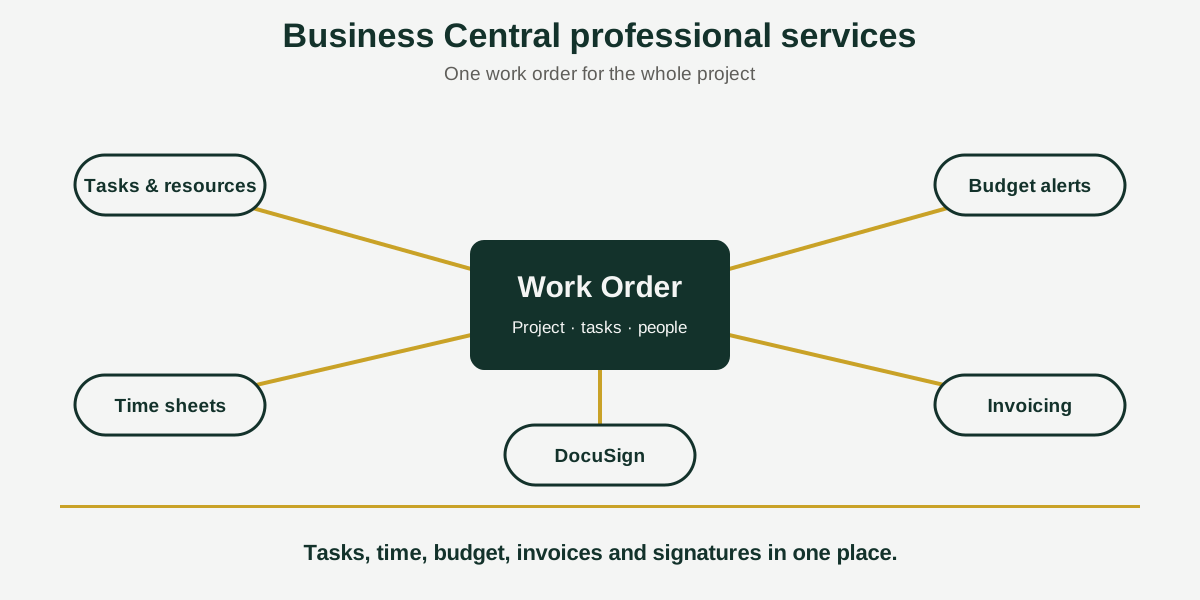
Short answer: Business Central professional services management means planning project work, assigning resources, logging time and invoicing accurately. Acumens Professional Services Management adds Work Orders that tie tasks to projects, task-level time sheets, budget alerts, DocuSign e-signature and secure attachments, for Business Central and Dynamics NAV.
In a project business, the work and the paperwork rarely live in the same place. The task list is in one tool, hours are on time sheets, the signed scope is in someone’s inbox, and the invoice is built by hand at month end. Every handover is a chance for something to be missed or billed late.
Acumens Professional Services Management, from SBC Dynamics ERP, puts the Work Order at the center. Tasks, people, time, budget, documents and invoices all hang off the same record in Business Central.
The app, by who uses it
For the project manager
- Work Orders tie tasks to projects, and tasks are managed and assigned inside the Work Order.
- Resources can be assigned at both the project level and the task level.
- Project budgets are linked to Work Orders, and overrun alerts can be configured.
- Built-in reports and dashboards cover project performance, resource utilization and financial metrics.
- Two templates, New Project and Change Work Order, help you start new work consistently.
For the consultant or team member
- Log time and expenses against the Work Order, so they feed billing and project costing.
- See only the tasks assigned to you on your time sheet.
- Record ticket numbers on time sheets for work tied to a specific ticket.
For finance
- Time sheet entries post to project journals, so costing is based on what was actually logged.
- Invoices are generated from Work Orders and their tasks, instead of being rebuilt from spreadsheets.
For whoever owns the client relationship
- Attach contracts, specifications, and other documents to the Work Order.
- Store attachments in the Business Central database or in Azure Storage.
From scope to signature: getting a document signed
The DocuSign integration lives inside the Work Order, so a signature request does not have to leave Business Central.
- Attach the document to the Work Order.
- Send it to the customer for electronic signature.
- Void the envelope if the scope changes before it is signed.
- Get a notification when the customer signs.
- Print the signed document directly from Business Central.
Who should use it?
Consulting firms, agencies, engineering and implementation teams, and any business that sells time and expertise by the project. If you bill from time sheets and your scope changes mid-project, a Work Order that carries the budget, the tasks and the signed paperwork makes those changes easier to control.
Availability
Acumens Professional Services Management is available from Microsoft AppSource and as an on-premises version. For a demo, setup help or training, contact the SBC Dynamics ERP team.
Frequently Asked Questions
How do I manage projects with work orders in Business Central?
Acumens Professional Services Management adds Project Work Orders that connect tasks directly to projects. Tasks are managed and assigned within the Work Order, and time, expenses, budget, documents and invoicing all link back to it.
Can I assign resources at the task level, not just the project?
Yes. Resources can be assigned at both the project level and the task level.
How do I make sure team members only see their own tasks on a time sheet?
Time sheets show each resource only the tasks assigned to them. Ticket numbers can be recorded on the time sheet, and entries post to project journals.
Can a customer e-sign a contract or specification from Business Central?
Yes. The DocuSign integration lets you attach a document to the Work Order and send it for electronic signature. You can void the envelope, get notified when the customer signs, and print the completed document from Business Central.
Where are signed documents and attachments stored?
In the Business Central database or in Azure Storage, whichever you choose.
Can I be alerted when a project goes over budget?
Yes. Project budgets are linked to Work Orders, and overrun alerts can be configured.
How do I invoice from a work order?
Invoices are generated from Work Orders and their tasks, using the time and expenses logged against them.
Is it available for on-premises Business Central?
Yes. It is available from Microsoft AppSource and as an on-premises version.
Invoices are generated from Work Orders and their tasks, using the time and expenses logged against them.
Is it available for on-premises Business Central?
Yes. It is available from Microsoft AppSource and as an on-premises version.
Closing line: Want to see how a Work Order would carry one of your own projects? Contact the SBC Dynamics ERP team, read how Acumens Software Sales & Services handles billing, or browse our other Acumens add-ons.